PAO PAO Save System & Demo Save Transfer
PAO PAO saves daily progress automatically when you sleep, backs up via Steam Cloud and Xbox cloud saves, and imports demo progress through an in-game transfer prompt.

PAO PAO records your daily progress automatically when you sleep, backed up remotely through Steam Cloud on PC and Xbox cloud saves on Xbox Series X|S. Progress from the closed demo carries into the full game through an in-game transfer prompt, supported by two launch-day hotfixes that addressed demo save transfer issues, blocked restaurant upgrades, and an issue with the Fishy Business side quest on outdated demo saves.
How Demo Save Transfer Works
The PAO PAO Demo closed on October 26, 2026 alongside the Early Access launch on Steam, and returning demo players do not have to begin from scratch. When the full game finds earlier demo saves, it prompts you to transfer them to the full game and places transferred saves in the list of saved games.
- Install the newest Steam update before launching PAO PAO so every launch-day transfer fix is active first.
- Open the full game and accept the transfer prompt when it finds your demo saves.
- Wait for the success notice, then open the saved games list to load your imported world.
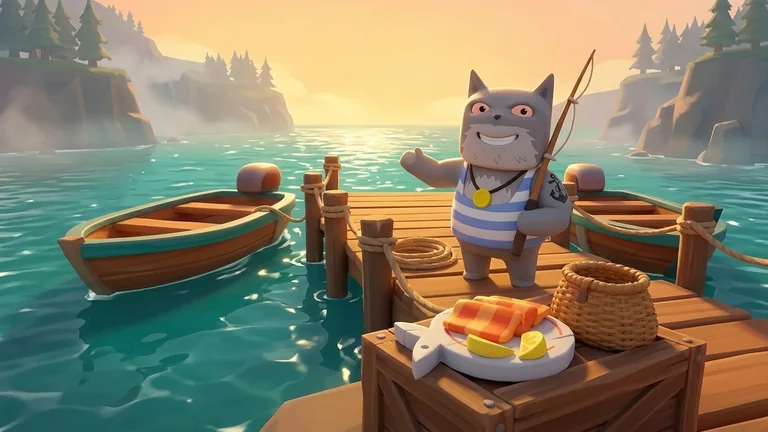
When an import fails, the game shows “Failed to transfer the saves from the demo version.” Closing the game, installing any pending update, and relaunching ensures you run the newest version before retrying. For pier and boat quest steps, follow our fishy business quest walkthrough, or browse every storyline in the quests directory.
Save & Demo Transfer Patch History
Five updates between the pre-release demo and post-launch Early Access added demo save importing, fixed save and decoration issues, and improved multiplayer sleep handling.
| Patch | Release window | Save and sleep changes |
|---|---|---|
| PAO PAO Demo Patchnote | Pre-release demo | Added demo-to-full-game save transfer so players keep earlier progress, and moved sleep onto server-side logic so players stop getting stuck in beds |
| Second Patch | Pre-release demo | Resolved bugs affecting saving home decorations alongside fixes for freezes and crashes tied to beds and sessions |
| Hotfix #1 | Launch day (October 26, 2026) | Fixed restaurant upgrades failing to buy after importing a demo save and fixed Fishy Business on saves imported from an outdated demo build |
| Demo Save Transfer Fix | Launch day (October 26, 2026) | Addressed general demo-to-full-game save transfer failures and advised updating to the newest build before importing |
| Update 1.0.2 | Post-launch update | Allowed players to sleep in other players’ houses during multiplayer sessions |
Plan restaurant expansions and house upgrades in the equipment catalog, or review day-one priorities in our beginners guide.
Autosave, Sleep Rules, and Cloud Saves
Daily progress is written when you sleep at the end of the day, so exiting to the title screen or desktop beforehand triggers the warning “You’ll lose your daily progress if you don’t sleep!” If resting is temporarily unavailable, the game notifies you with “You can’t sleep right now!”
In multiplayer, sleep runs on server-side logic so teammates do not get stuck in beds while ending the day. You can also turn in for the night inside another player’s house rather than walking all the way back to your own home. For lobby modes, shared farming, and session fixes, check our co-op multiplayer guide.
| Prompt | Exact in-game text | What it means |
|---|---|---|
| Demo detected | “Saves from the demo version of the game were found. Transfer them to the full game?” | Prompts you to transfer detected demo saves into the full game |
| Transfer complete | “Your demo saves were transferred successfully. You can find them in the list of saved games.” | Imported demo files are ready to load from the saved games list |
| Transfer failed | “Failed to transfer the saves from the demo version.” | Install the newest update before retrying the demo save import |
| Exit to desktop | “Quit to desktop? You’ll lose your daily progress if you don’t sleep!” | Closing the game before sleeping discards unsaved actions from the current day |
| Exit to menu | “Quit to main menu? You’ll lose your daily progress if you don’t sleep!” | Returning to the menu before sleeping discards unsaved actions from the current day |
| Sleep blocked | “You can’t sleep right now!” | Shown when resting is blocked at that moment |
Both released storefronts include platform cloud backup: the Windows version on Steam supports Steam Cloud, and the Xbox Series X|S Game Preview version supports Xbox cloud saves. For storefront availability and cross-platform lobby setup, read our crossplay and platforms guide.